

Football on Saturday, tennis on Sunday, a Grand Prix in between: following sport usually means juggling a scores app, a TV guide and a list of channels. Since version 3.1, Sport Centre in OneTV Connect is open to everyone, with no subscription, as soon as a playlist has been added. This guide covers what you get for free, where to find it on each device, and what remains reserved for OneTV Pro.
What is free, and the one condition
The condition is simple: add a playlist. Once one is in the app, Sport Centre opens without a Pro subscription. For free you can browse:
- today’s matches, the starting point of the screen;
- scores, for what is being played now and what has just finished;
- the schedule of upcoming matches;
- the match pages, one for each fixture.
The advanced features remain reserved for Pro subscribers; see the last section. The free access is the same on all five platforms: Apple TV, iPhone, iPad, Mac and Vision Pro.
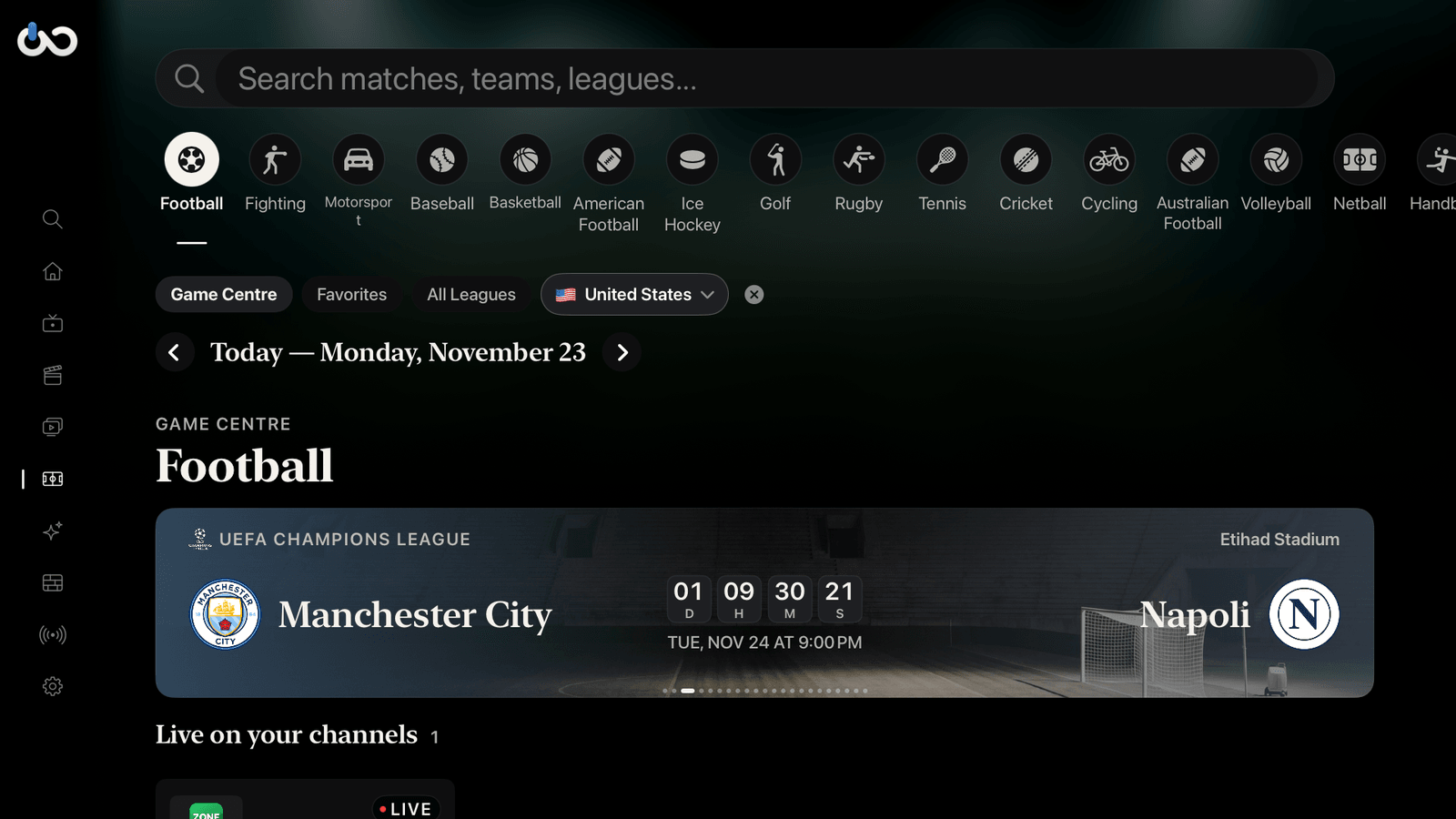
Open Sport Centre on each device
- Apple TV: the Sport Centre tab. On a sport’s tab, every match highlighted by the OneTV team is shown, whether or not you have liked its league.
- iPhone: in the “…” menu at the top of Home, which also holds the Apple TV remote and the immersive/classic view switch. Search, trailer sound, TV Schedule and Settings stay visible beside it.
- iPad: Sport Centre opens as a sheet that you close by swiping down.
- Mac and Vision Pro: the same Sport Centre, in the Mac app and the Vision Pro app.
In French the section is called Sport Center; in English, Sport Centre. It is the same screen.
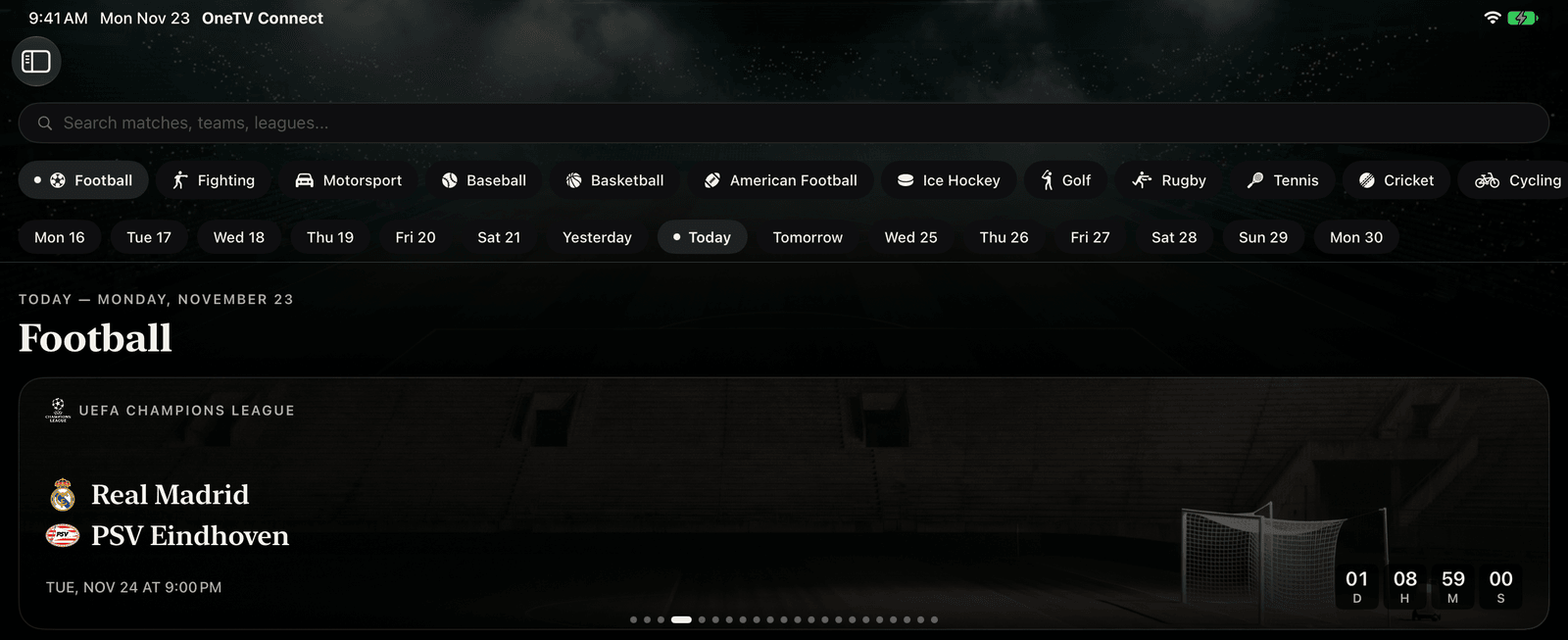
What you can do in it
Start from today’s matches. Each card gives you the fixture and its state, from kick-off to final score. Open a card to get the match page. If a match is later in the week, the schedule is where you find it, and if you simply want to know whether the game you missed is over, the scores answer that without leaving the app.
What Sport Centre is for, in practice, is the question that comes before pressing play: what is on, and is it worth watching now? Once you know, you go to the channel list, or to the live scores and second-screen guide, which explains how matches are matched to your channels and how the iPhone works as a second screen.
It also helps to know what Sport Centre is not. It is not a second guide: the channel list and the TV Schedule remain where you pick what to watch. Think of it as the sports front page, with the channel list as the way in.
A match-day routine
- Check that a playlist is in the app (Settings › Sources). Without one, Sport Centre does not open for free.
- Open Sport Centre and read today’s matches.
- Open the match page of the fixture you care about.
- When it is time, go to your channel list and start the match.
- Keep the iPhone nearby: on the sofa it is a convenient second screen for scores while the Apple TV shows the picture.
None of these steps asks for a subscription: it is the free part of Sport Centre, from the playlist to the match page.
Sport on the home screen
The sport rows on Home follow the order you choose in Settings › Sports bar. If you only care about two sports, put them first and the rest stays out of the way. That setting is not locked behind Pro either, which makes it the quickest thing to adjust right after adding a playlist.
Upcoming programmes and reminders
Reminders are a different feature, and it is worth separating the two. In the live player on the Apple TV and the Mac, you can open the channel list, press right on a channel, and see two tabs: Replay, to watch the current programme from the start and the previous days’ shows, and Upcoming, which lists what is next, with a reminder. That belongs to OneTV Pro and is explained in the catch-up and timeshift guide and on the catch-up TV page. It works from the TV guide, not from Sport Centre, so use it for any programme, a match broadcast included.
What stays Pro
The advanced Sport Centre features stay with OneTV Pro. The Sport Centre page and the “What’s free vs Pro” section of the live scores guide show exactly where the line falls. The simplest test is to use the free part for a weekend of matches and see whether anything is missing for you.
For the rest of what was added to the app since 3.0, see what is new in OneTV 3.x, or the Apple TV page if you are setting up a living-room screen.
Frequently asked questions
Do I need a subscription to use Sport Centre?
No. It is open to everyone as soon as a playlist is added. Advanced features remain reserved for Pro subscribers.
What do I get for free?
Today’s matches, scores, the schedule and match pages.
Which devices have it?
Apple TV, iPhone, iPad, Mac and Vision Pro.
Is it called Sport Center or Sport Centre?
Both: Sport Centre in English, Sport Center in French. It is the same screen.