

OneTV Connect has had two large updates since version 3.0 in October. This page is a plain recap of what arrived, with where to find each feature and which ones need OneTV Pro. Each section links to a guide that goes further.
OneTV 3.1: sport, sound and picture
- Free Sport Centre. Open to everyone as soon as a playlist is added: today’s matches, scores, schedule and match pages. Advanced features stay Pro.
- Shazam in the live player. Identify the song playing on a channel, with no microphone, with OneTVPlayer and KSPlayer.
- Dolby Vision Profile 7 and 8, TrueHD Atmos. UHD Blu-ray remuxes switch the TV to Dolby Vision on Apple TV, most 4K Dolby Vision films play as true Dolby Vision, and Atmos plays with its height channels.
- AetherEngine, a fifth player (Pro), next to MPV, VLC, KSPlayer and OneTVPlayer, the default.
- Replay and Upcoming from the channel list (Pro, Apple TV and Mac): press right on a channel. See catch-up and timeshift.
- The ▼ button on iPhone and iPad shrinks the player into a bar above the tabs instead of closing it.
- Audio shaping in Settings › Playback › Audio: Night mode, Clearer dialogue, Even volume.
- Closed captions and teletext in OneTVPlayer: a “CC” track in the subtitle menu, and teletext subtitles from European channels (page 888).
- A fuller playlist page with subscription status, days left, connections and totals.
- ★ My List on posters, next to the “watched” tick.
OneTV 3.2: Radio, CarPlay and a calmer Apple TV
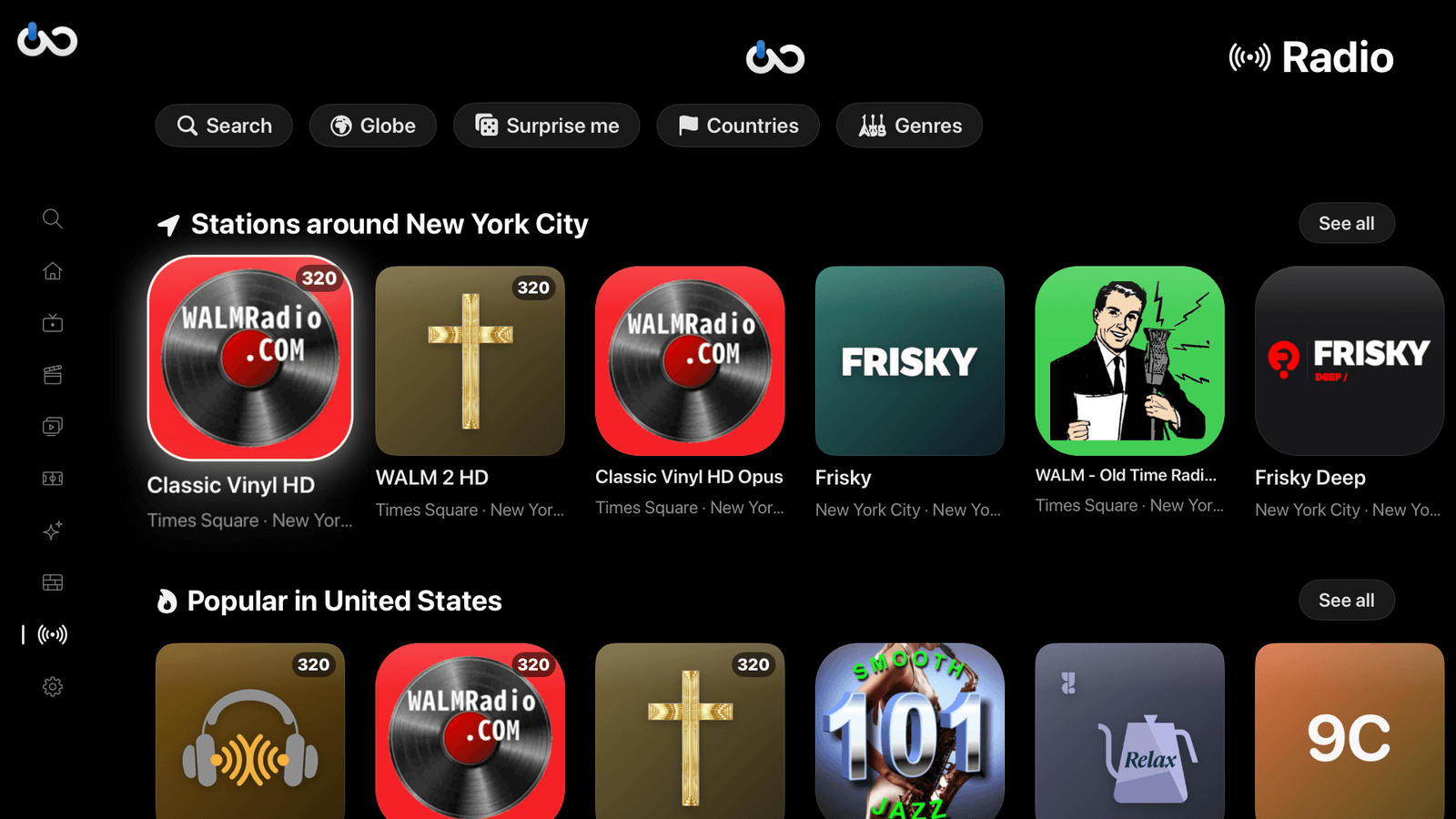
- The Radio (Pro). Nearly 50,000 stations from around the world: add World Radios in Settings › Sources, then a 3D globe, Surprise me, a sleep timer, a radio alarm, a mini player and, on Apple TV, the Top Shelf.
- CarPlay. Your channels in compatible vehicles, in the app’s order, with favorites and folders, sorting and a real pause. Listening only. The Radio tab is Pro.
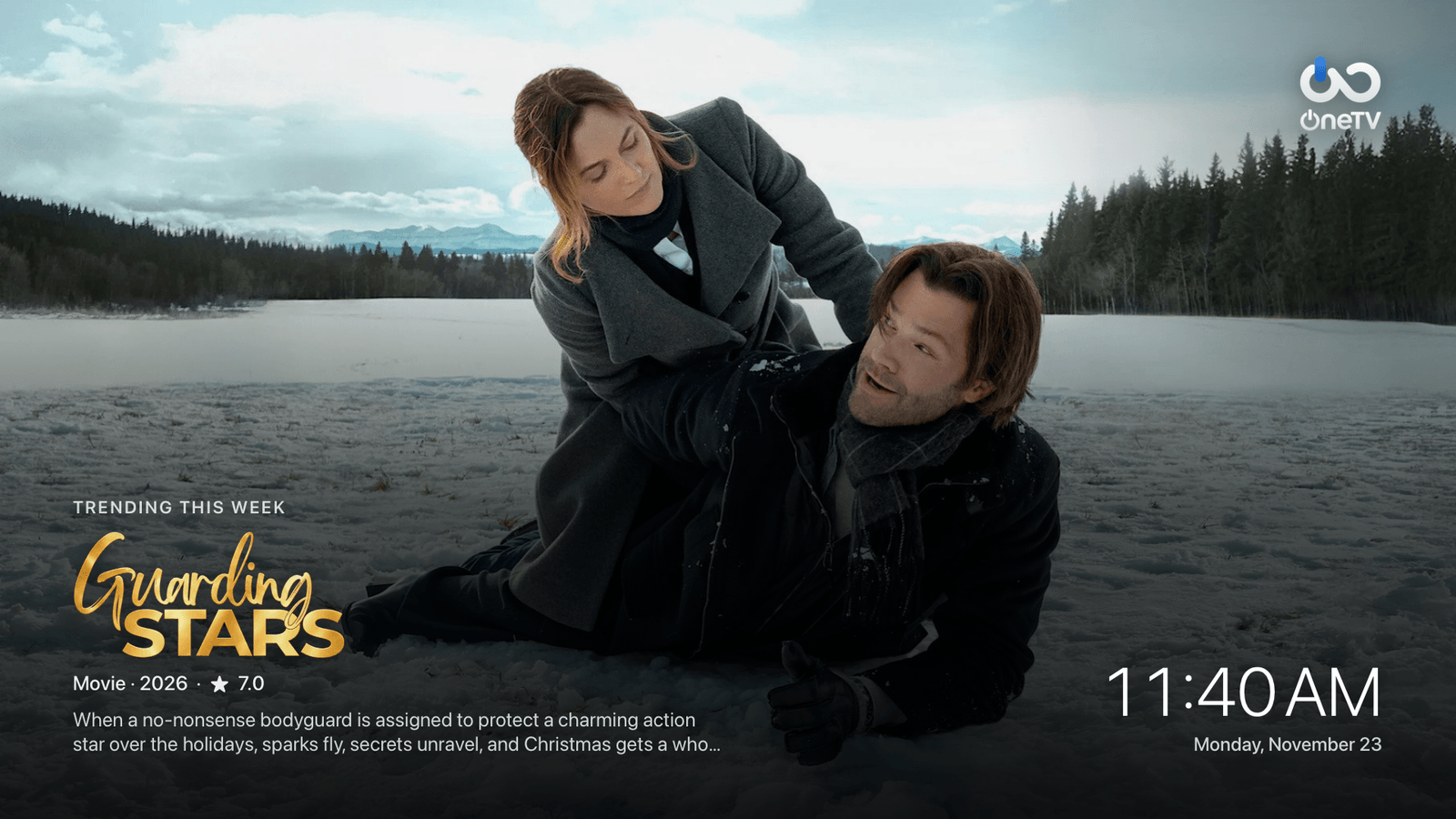
- Apple TV screen saver. When nothing is playing and the remote is idle, this week’s movies and series appear full screen. Choose the delay (1, 5, 10 or 30 minutes, or never) in Settings › Customize › Interface.
- Trailers that start almost at once, behind a waiting screen styled like movie opening credits.
- Move to category… in a channel’s menu, and a Channels without programs setting in the TV Schedule.
- A more Mac-like Mac app, with hover effects, arrows to scroll rows and the shortcuts ⌘R, ⌃⌘↓ and ⌃⌘P.
- A lighter iPhone Home, with the remote, Sport Centre and the view switch gathered in a “…” menu.
- Text size and subtitles that follow the device’s settings, plus better legibility.
Fixes worth knowing
Besides the new features, 3.2 corrected several things people had reported:
- Watch progress syncs again across all your devices, even with several Apple TVs or several profiles. A movie restarted or rewound on one device resumes at the right spot on the others.
- The app no longer slows down after long use, or when you hop through “Similar” titles from detail pages, especially with several playlists.
- Reopening the app after a few hours or the next day, the logos and pictures in the channel grid show up again and each channel shows what is on now.
- After changing the username or password of an Xtream playlist, every channel uses the new credentials right away.
- “Find in catalog” on a movie or series page finds more copies in your playlists.
- “Skip Credits” shows up during the credits again, and “Skip Intro” no longer appears in the middle of the story.
What is free and what is Pro
Free: Sport Centre (with a playlist), Shazam on live TV, the Apple TV screen saver, audio shaping, closed captions and teletext, the ▼ mini bar, the playlist page, My List stars and CarPlay channels. Pro: the Radio and the Radio tab in CarPlay, AetherEngine, Replay and Upcoming from the channel list, and the Dolby Vision / Atmos settings.
If you only try three things, make them these: open Sport Centre once a playlist is in (it is free), tap the Shazam icon the next time a song plays on a channel, and, if you have Pro, add World Radios in Settings › Sources and let the Radio play in the background while you do something else. Those three show the direction of the 3.x versions better than any list: the app is no longer only a list of channels, it is a place for sound, sport and the evening’s viewing as a whole.
Where each article goes deeper
- World radio on Apple TV, iPhone and Mac
- IPTV and radio in CarPlay
- Shazam on live TV without a microphone
- Dolby Vision Profile 7 and TrueHD Atmos, with the earlier Dolby Vision IPTV on Apple TV
- Free Sport Centre
- Multi-screen and OneTVPlayer
The feature pages follow the same order: Radio, Sport Centre, Dolby Vision, catch-up TV, and the platform pages Apple TV, iPhone, Mac and Vision Pro.
Frequently asked questions
Which update brought the Radio?
The Radio and CarPlay arrived in 3.2. The Radio is a OneTV Pro feature.
Is Sport Centre still behind a subscription?
No: since 3.1 it opens for free as soon as a playlist is added. Advanced features remain Pro.
Does everything work on every device?
No. For example, Replay from the channel list is on Apple TV and Mac, the Dolby Vision / Atmos settings are on Apple TV, and AetherEngine is not on Mac. Each guide says which devices are covered.